United Line Leads
Uncovering the hidden workflows and critical pain points of airline maintenance operations to guide strategic design decisions
Overview
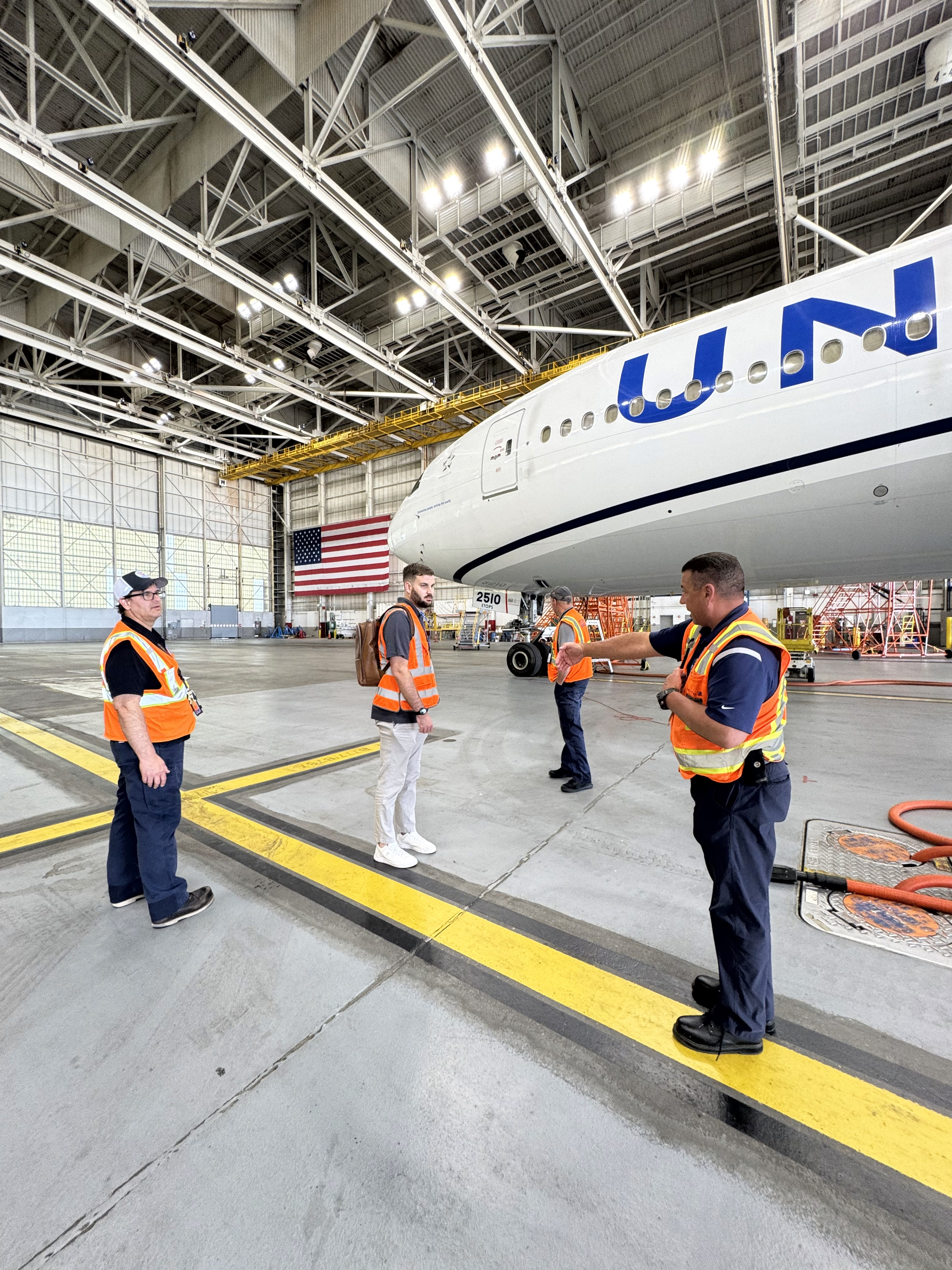
As Design Lead, I conducted discovery research to understand the daily workflows, tools, and challenges of United's Technical Operations (Tech Ops) teams. This initial user research provided a clear, evidence-based foundation that transformed our design approach from assumption-driven to user-centered, enabling a more efficient and effective design phase for improving their primary software suite, AMTS.
The Challenge
A High-Stakes Balancing Act
Airline maintenance is complex and high-stakes. Planners, supervisors, and managers must balance aircraft availability, scheduled maintenance, and unforeseen issues.
While their digital tool suite, AMTS, is an improvement over paper-based systems, our initial hypothesis was that it hadn't kept pace with the increasing complexity of the operation. Users were forced to rely on a patchwork of disconnected applications, manual workarounds, and tribal knowledge to manage their day.
The Risk: Miscommunication or inefficiency can lead to significant operational disruptions and costly delays.
The primary challenge was to move beyond assumptions and identify the most critical workflow bottlenecks to inform a targeted and impactful design strategy.
Research Objectives
Map End-to-End Workflow
Understand day-to-day workflows, decision-making processes, and communication patterns of key roles like planners, supervisors, and managers
Assess Real-Time Awareness
Investigate how teams monitor critical, time-sensitive events like inbound aircraft issues, gate changes, or shifts in maintenance priorities
Evaluate Task Complexity
Explore how workload is calculated, assigned, and adjusted, with a focus on understanding the impact of inaccurate time estimates
The Process
Understanding the User's Reality
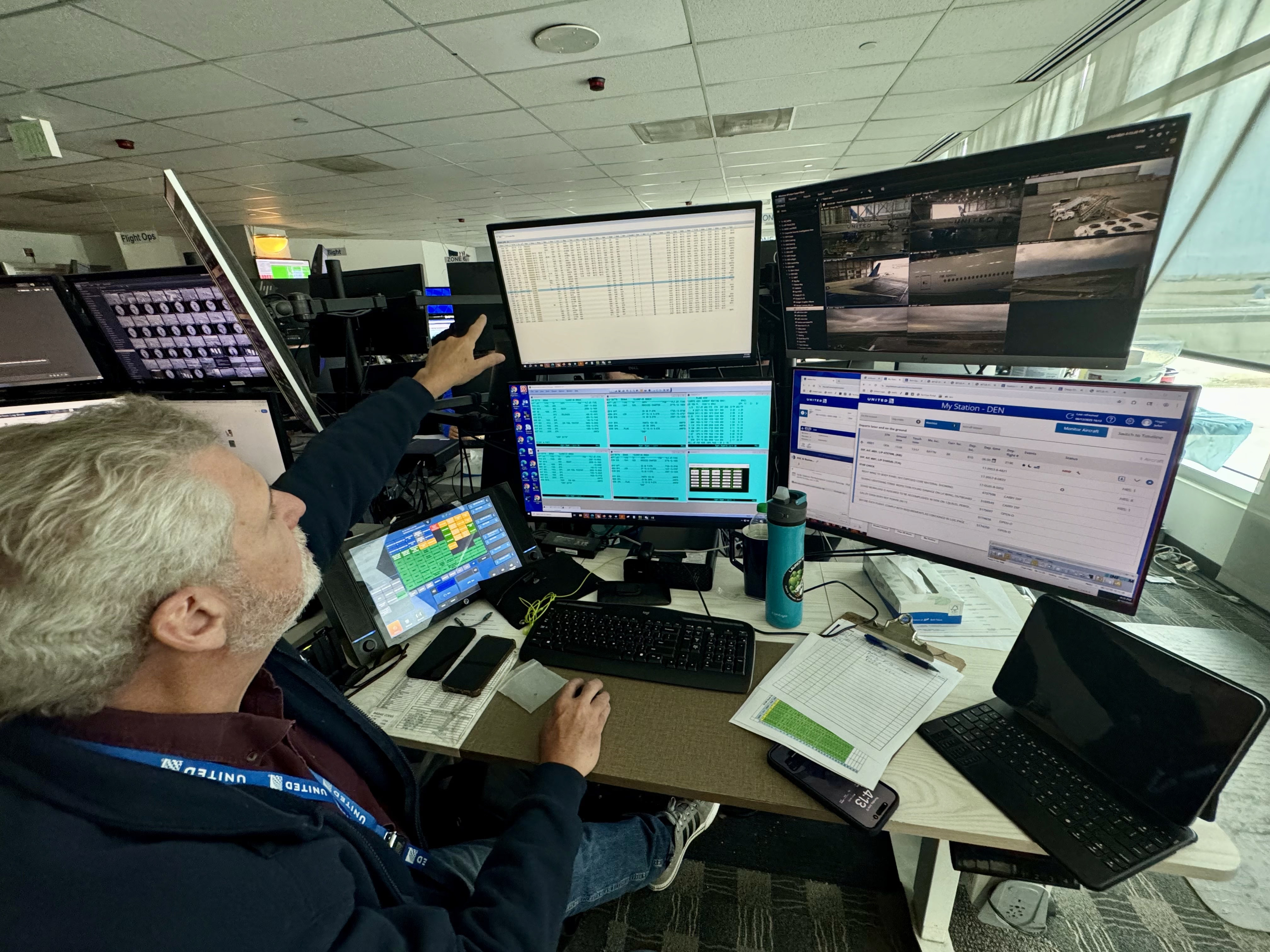
To gain a deep, empathetic understanding of the user's context, we conducted semi-structured interviews with key personnel across multiple major hubs, including Chicago (ORD), Denver (DEN), Houston (IAH), and San Francisco (SFO). We spoke with individuals in various roles to capture a holistic view of the maintenance lifecycle:
Roles Interviewed:
- HMC Managers — Hub Operations Maintenance Control oversight
- Maintenance & Terminal Shift Managers — Day-to-day operational leadership
- Field Planners & Line Planners — Ground-level scheduling and coordination
- Supervisors — Team management and execution
Qualitative Approach
This methodology allowed us to uncover not just what users were doing, but why they were doing it, revealing the logic behind their workarounds and their most significant pain points.
Key Insights
A Fundamental Disconnect Exists Between Central Planning and On-the-Ground Reality
Central line planners assign work based on a simplified "maintenance opportunity" and inaccurate system defaults, such as assigning one hour to tasks that take much longer. This consistently creates overloaded schedules and forces local managers and field planners to spend significant time "undoing someone else's work" by re-prioritizing and adjusting man-hours. The system allows central planners to override and lock local adjustments, preventing teams from correcting the plan to reflect their actual capacity.
Lack of Proactive, Real-Time Information Forces a State of Constant Manual Monitoring
Users operate in a highly dynamic environment, yet their primary digital tools often fail to provide real-time updates. Key applications like "My Station" and "TOCS" do not automatically refresh, requiring users to manually refresh their screens constantly to catch critical changes, such as an aircraft's Maintenance Release Document (MRD) turning red. Supervisors monitoring an entire work area do not receive pop-up alerts for new high-priority issues unless assigned to a specific aircraft.
Manual Workarounds are Essential to Bridge Critical Gaps in Digital Tools
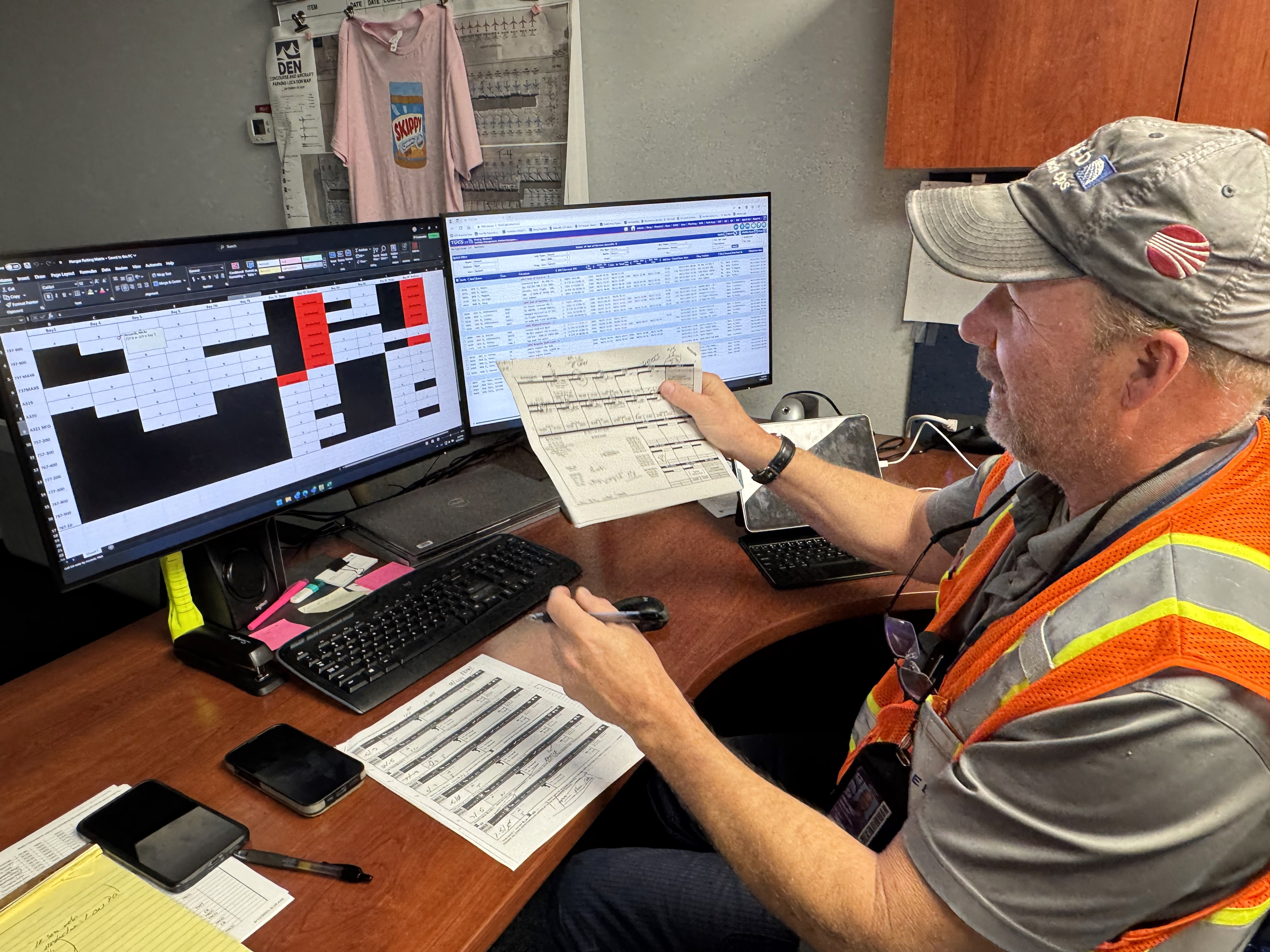
The digital tools have significant functional gaps that force teams to create and rely on their own manual systems, often using Excel, paper printouts, and external applications. Because the system lacks a historical record or "snapshot in time," teams create their own paper trails to track changes for shift handovers. Similarly, they use custom Excel spreadsheets (a "Ouija board") to manually calculate and balance their actual workload against headcount—a core planning function that the primary software does not adequately support.
Critical Challenges
1. The "Everything is a Priority" Problem
The system for flagging priorities is ineffective because too many items can be marked as "Priority 1" (P1), including routine tasks with a low priority score. This over-prioritization renders the flag meaningless.
If everything's a priority, nothing's a priority.
This forces supervisors to create their own methods—such as verbal briefings and manual emails—to communicate the actual critical tasks to their teams, creating inefficiency and relying on tribal knowledge instead of a trusted system.
2. Inability to Proactively Monitor High-Priority Inbound Aircraft
A major frustration across multiple roles is the inability to formally monitor an aircraft before it has departed its previous station. Managers and supervisors know which high-priority international or hub-to-hub flights are coming, but they cannot add them to their "My Work" dashboard to track their status and receive alerts. This forces them to rely on memory or inefficient manual lookups, which is prone to error and prevents proactive planning for high-stakes maintenance events.
3. Systemic Data Loss Forces Redundant Work
Users invest significant time entering critical data, only for the system to delete it. A frequently cited pain point is that when an aircraft's routing or gate is changed, any notes entered by the planning team in Station Plan are automatically deleted. These notes contain vital context for shift handovers, such as part numbers and troubleshooting status.
The loss of this information requires teams to re-research the aircraft and manually recreate the lost data, a process described as a "huge pain in the ass".
Validating Personas & User Journeys
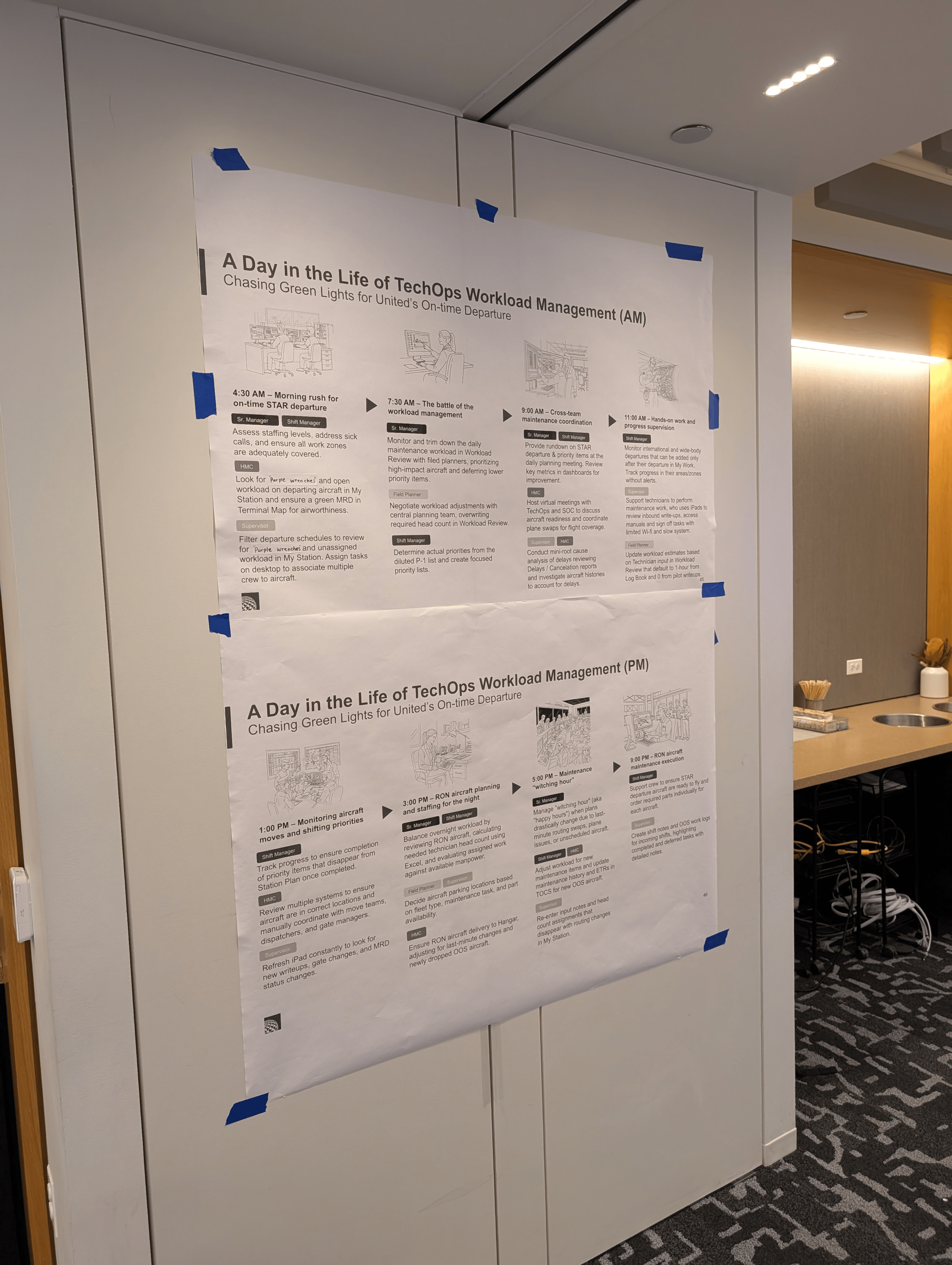
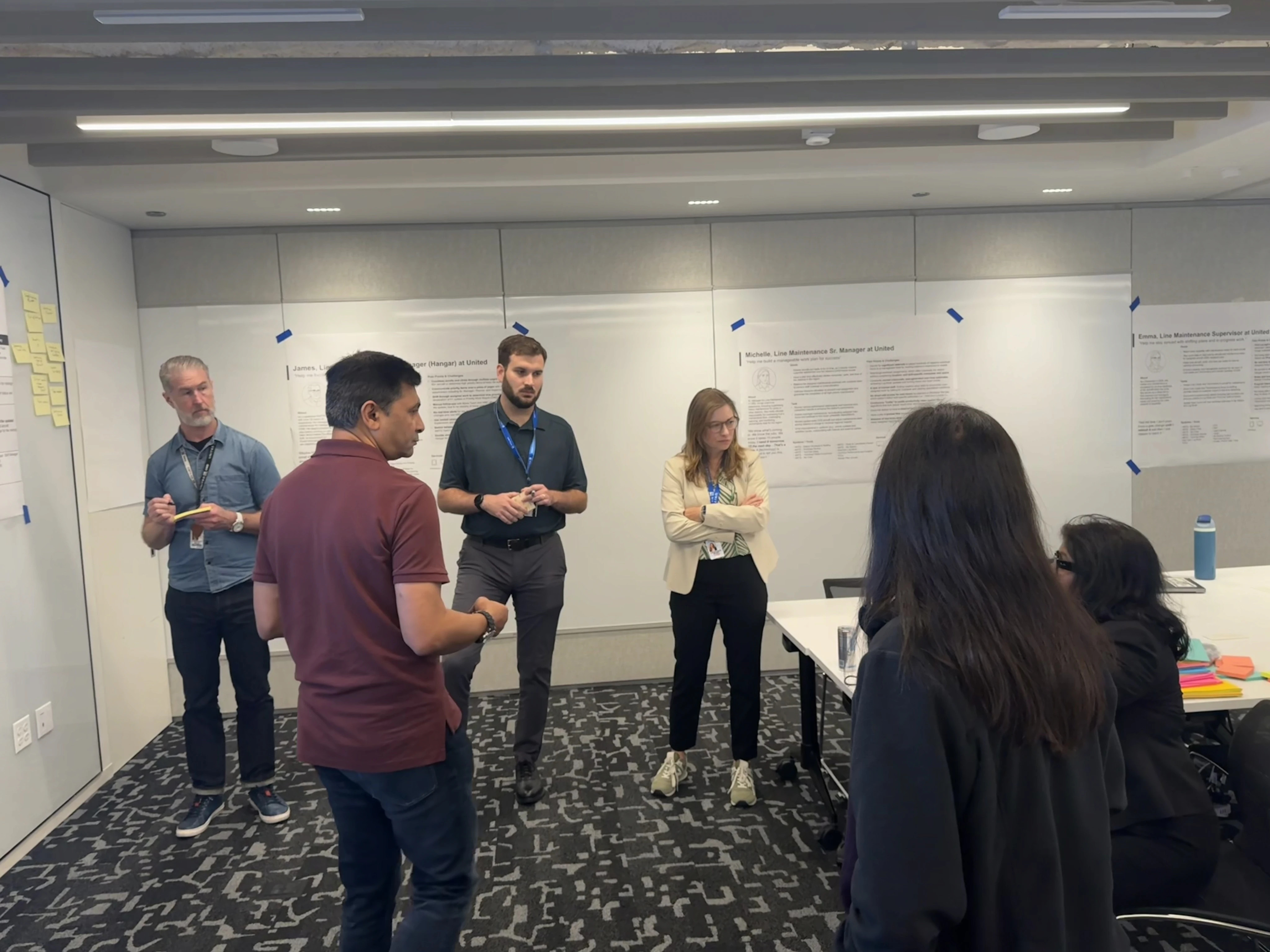
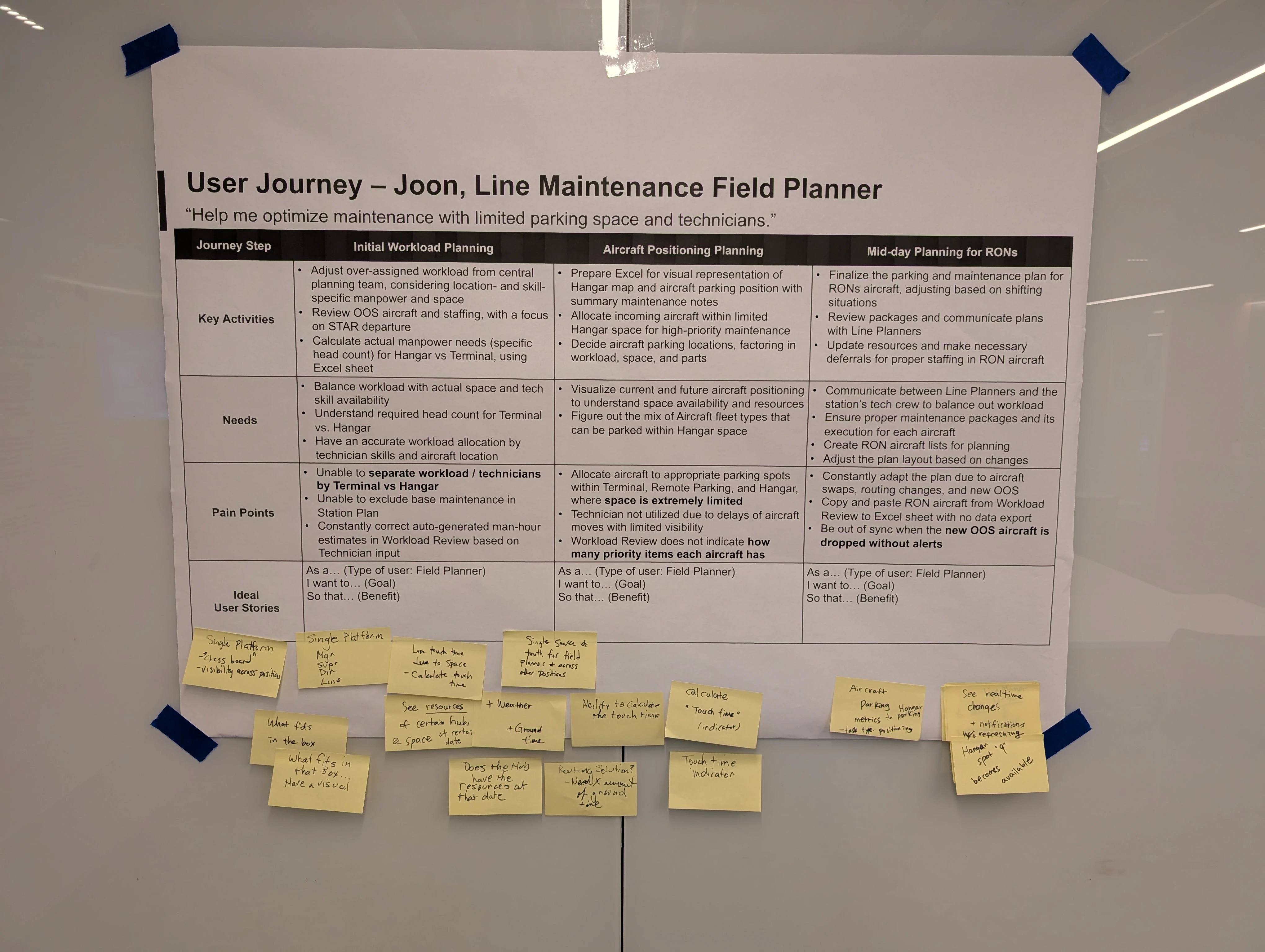
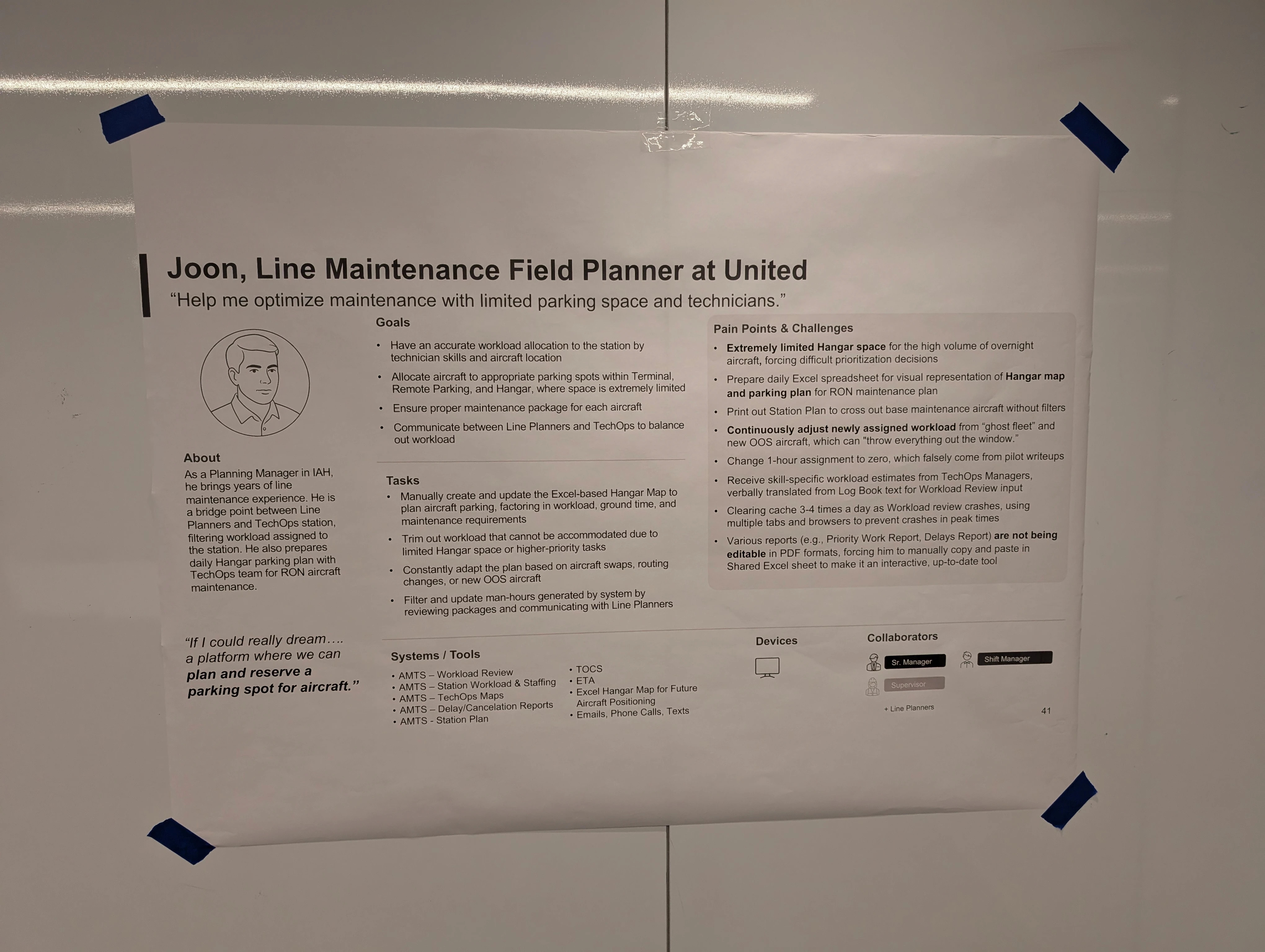
We conducted an in-person workshop with key stakeholders to ideate user journeys that reflect user needs, maintenance workload management processes, and design feasibility.
Conceptual Solution
A Unified Platform for Priority-Driven Maintenance Planning
Based on our research findings, we conceptualized a unified platform that connects priority-driven maintenance planning with intelligent hangar space optimization. The platform provides cross-functional visibility for TechOps Line Maintenance Directors, Managers, Supervisors, Line Planners, and Field Planners.
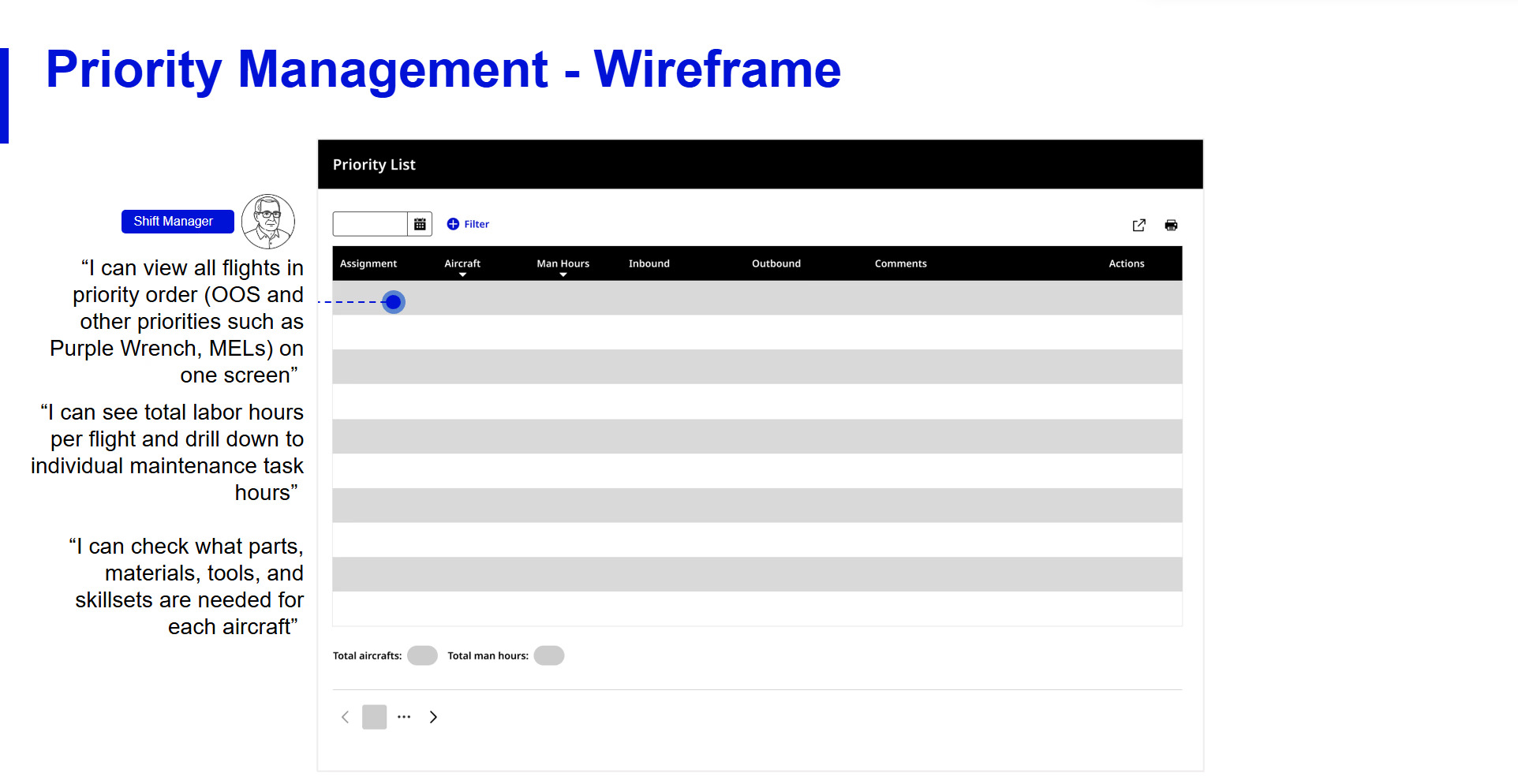
Priority List Feature
The system provides a priority list feature displaying flights by urgency (Out of Service and other priorities) with accumulated labor hours, granular maintenance work tracking, and comprehensive resource requirements (parts, materials, tools, skillsets, ground time, aircraft type). This enables users to:
- See average task effort times
- Schedule skilled resources
- Track deferred work by deadlines
Hangar Space Management
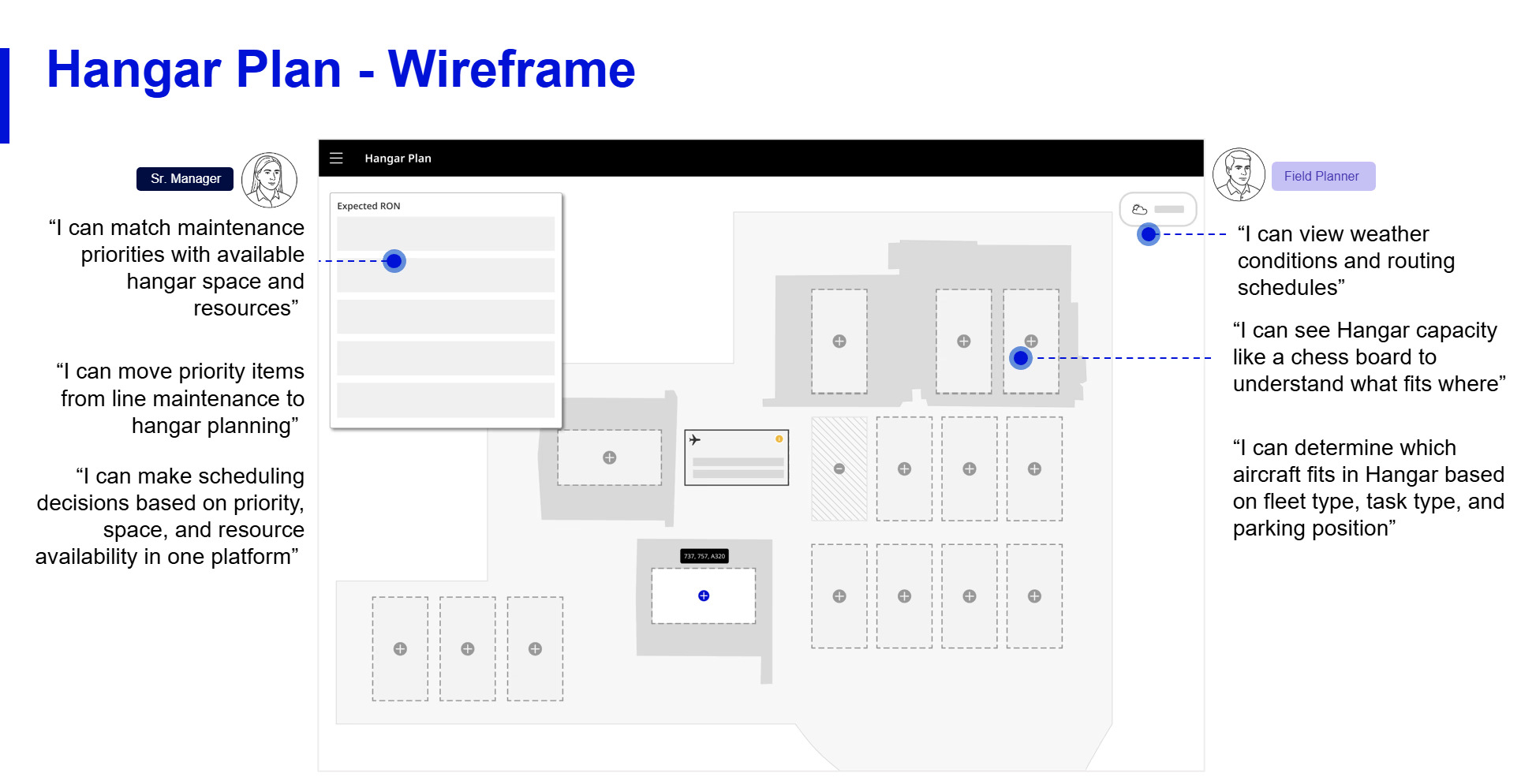
This integrates seamlessly with the hangar space management feature—a futuristic view of hangar space interface to optimize hangar capacity through:
- Real-time resource availability by date
- Weather integration
- Configurable ground/touch time calculations
- Routing schedules and aircraft parking metrics
- Fleet mix, task types, and parking positions
Connected System Benefits
The connected system enables users to identify which priority maintenance work requires hangar space, determine optimal hangar fit based on aircraft and task requirements, and ensure resource availability aligns with maintenance priorities—creating a comprehensive view from line maintenance planning through hangar execution for all TechOps roles.
Impact & Next Steps
By investing time in discovery research, we transformed our design process from one based on assumptions to one driven by deep user empathy and evidence.
The insights gathered prevented us from wasting resources on low-impact features and instead allowed us to conceptualize a strategic roadmap focused on solving the most painful and costly problems for our users.
Stakeholder Impact
The strategic insights and conceptual designs presented were compelling enough to prompt immediate action from stakeholders, who are now formally seeking budgetary approval to initiate the project's next phase of comprehensive design and implementation.
Key Takeaways
Discovery research prevents costly assumptions
Investing time upfront to understand user reality through qualitative research saves exponentially more time and resources during design and development by ensuring we solve the right problems.
Manual workarounds reveal system gaps
When users create their own tools (Excel "Ouija boards," paper trails, verbal briefings), these aren't just inconveniences—they're critical signals pointing to fundamental system failures that deserve design attention.
Cross-role research uncovers systemic issues
Speaking to users across different roles and locations revealed patterns that single-role research would miss, particularly the disconnect between central planning and local execution that was causing the most operational friction.